
8 Ways myFirst Fone R2 Kids Smartwatch Keeps Children Active and Parents Connected
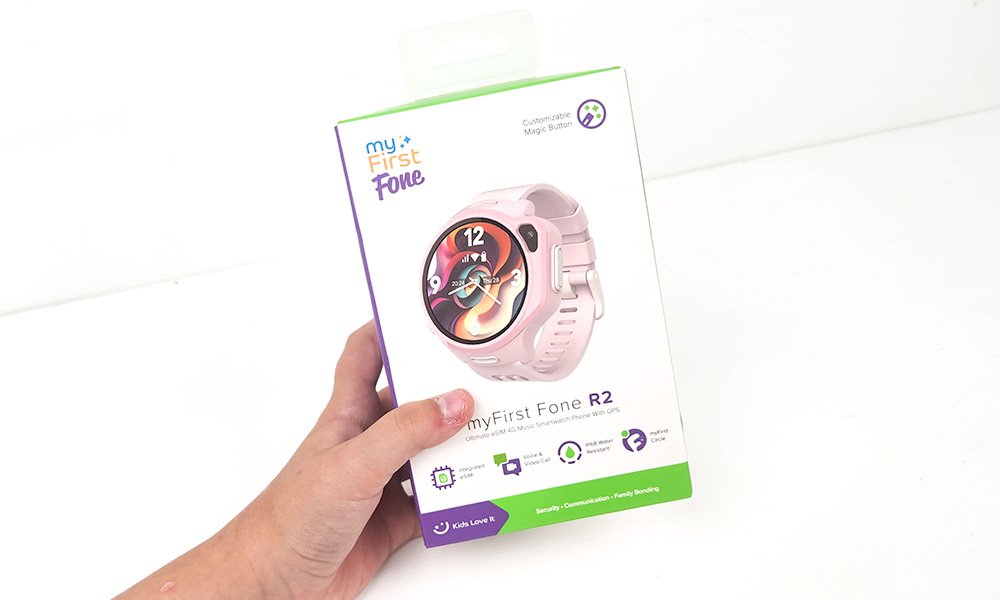
As the back-to-school season rolls in, parents everywhere are looking for ways to keep their little ones safe, entertained, and—let’s be honest—reachable at all times. Enter the myFirst Fone R2 Kids’ Smartwatch, a tech-savvy gadget designed for children aged 5 to 12, blending communication, safety, and fitness features into one snazzy device.
We were kindly gifted this kids smartwatch in return for sharing our honest review. We’ve tried and tested the myFirst Fone R2 extensively, giving it a whirl over a few weeks, and we’re here to dish out all the details in this hands-on review.
Why We’re Writing About the myFirst Fone R2 Kids’ Smartwatch
Why this watch? Well, with its durable design, packed features, and value for money, the myFirst Fone R2 makes a strong case for itself. In a world where screen time is sky-high, a watch that keeps kids active and parents connected is a win-win. Plus, it’s got some seriously cool features. And trust us, as parents ourselves, we’ve looked at it from both angles: will it survive school playgrounds and will it help us breathe easier? Let’s dive in.
What’s in the Box?

When you crack open the packaging of the myFirst Fone R2, here’s what you get:
- myFirst Fone R2 Smartwatch
- USB Charging Cable
- Two Custom Stickers (because what’s a kid gadget without stickers?)
- User Manual: Quick Start Guide
- User Manual: FreeSIM Activation
- User Manual: Fone R2 Specifications
It’s a pretty straightforward unboxing experience, though we were delighted by the added stickers. Bonus points for making it a little more kid-friendly right from the start.
Setup Woes and Wins
Now, let’s get one thing straight. The setup? A tad challenging, we’re not going to sugarcoat it. If you’ve been accustomed to plug-and-play devices, the myFirst Fone R2 might have you scratching your head. The instructions are minimal, leaving a lot to interpretation.
Our pro tip: if you run into trouble during setup, the Wi-Fi connection is key. You need it to generate the latest QR code for binding the watch to the app. We fumbled through it at first, but the support team was helpful when we reached out via email. The myFirst Circle app is essential for managing the watch’s functions, so here’s a little troubleshooting advice from us to save you some headache:
Troubleshooting Tips
- QR Code Error: Ensure the watch is connected to Wi-Fi and use the Link myFirst Fone” option on the app, not “Link my Device” or “Add Device.”
- Binding Error: If you’re stuck, this guide and helpful YouTube tutorial can work wonders.
8 Ways myFirst Fone R2 Kids Smartwatch Keeps Children Active and Parents Connected
Here’s where things start to get fun. After we managed the setup, it was time to see how well the myFirst Fone R2 does in real-world scenarios. Spoiler alert: it didn’t disappoint.
1. Stay in Touch with Video and Voice Calling
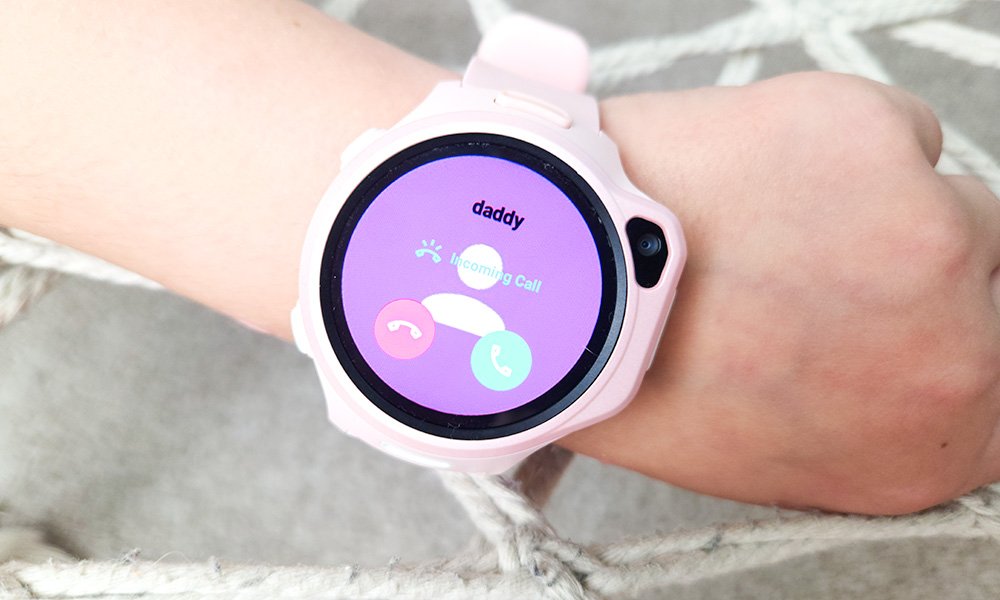
The myFirst Fone R2 is like the Batphone for kids. Your little superhero can call you directly, or you can ring them to check in on how school break is going. Video calling is an added bonus—nothing like seeing your kid’s face light up in real time when they get to show off their latest art project. The watch also lets you send voice messages and gifs, making communication fun and less formal.
2. GPS Tracker: Keeping Tabs, Stress-Free
One of the best features for us parents is the real-time GPS tracking. You can see exactly where your child is on a map, and there’s even an option to set up a Geo-Fence so you get alerts when they leave a designated area. Pro tip: make sure the Wi-Fi is off when your child leaves the house for more accurate tracking.
3. Messaging Made Easy (and Fun)
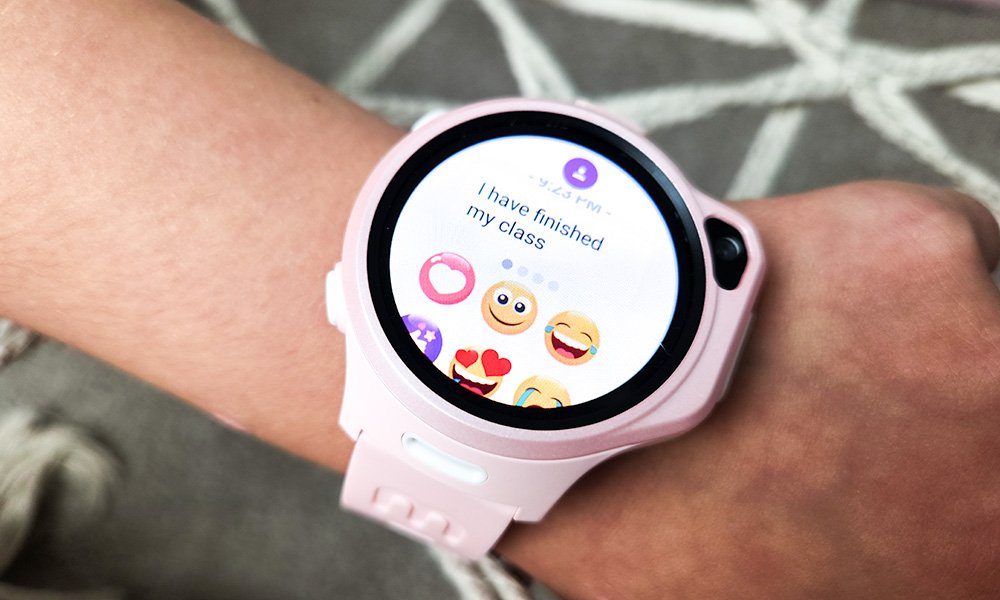
For the little ones who can’t quite text yet, predefined sentences like “I’m home” or “Can I call you?” make the myFirst Fone R2 perfect for quick messages. Emojis, gifs, and voice recordings add some personality to those moments when they just want to say, “Hi!”
4. 5MP Camera for Snap-Happy Kids
Forget selfies—this smartwatch has a decent 5MP camera that lets your kid capture the world from their point of view. Whether it’s a close-up of their lunch or a group shot with friends, parents can even sneak a peek remotely through the watch’s camera. Handy, right?
5. Encourages Activity with Step Tracking and Goals

Getting your child to stay active is no longer a hassle with this watch’s step tracker. You can set activity goals, and the watch awards badges for hitting them. It’s a fun way to encourage fitness without nagging. Let’s just say, our step count competition has gotten a little out of hand. We’re pretty sure they’re cheating.
6. Heart Rate Monitor: Because Health Matters

We were pleasantly surprised to find a heart rate monitor on the myFirst Fone R2. This is an excellent feature for tracking how active your child is and how their heart is handling all the energy they seem to possess in infinite quantities.
7. Alarm Clock: A Gentle Way to Start the Day
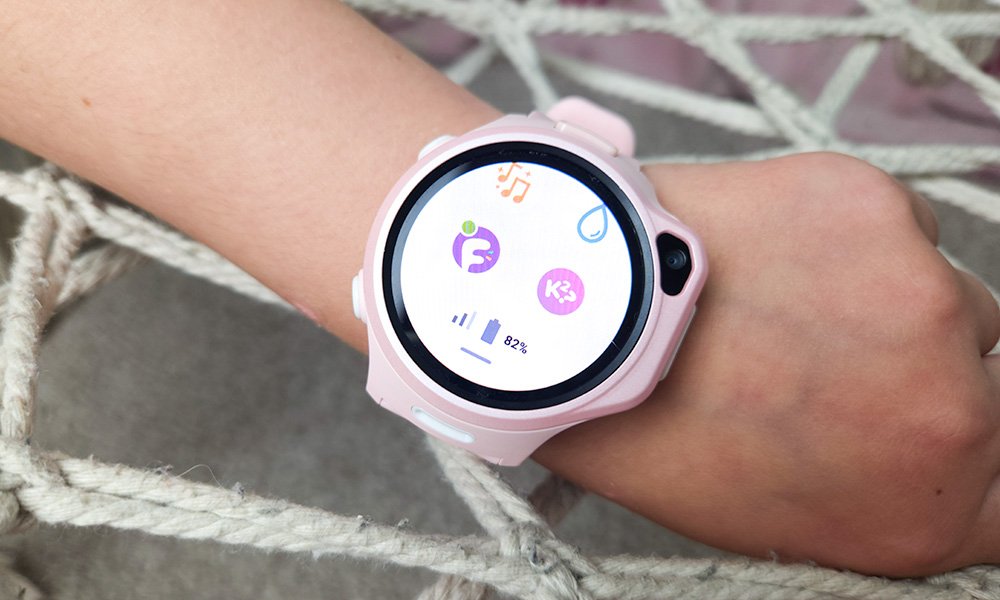
The built-in alarm clock has a gentle vibration feature that wakes your child without any startling sounds. It’s ideal for those kids who need a softer nudge to get them going at the start of the day.
8. Music Player (Dance To): Move to the Beat
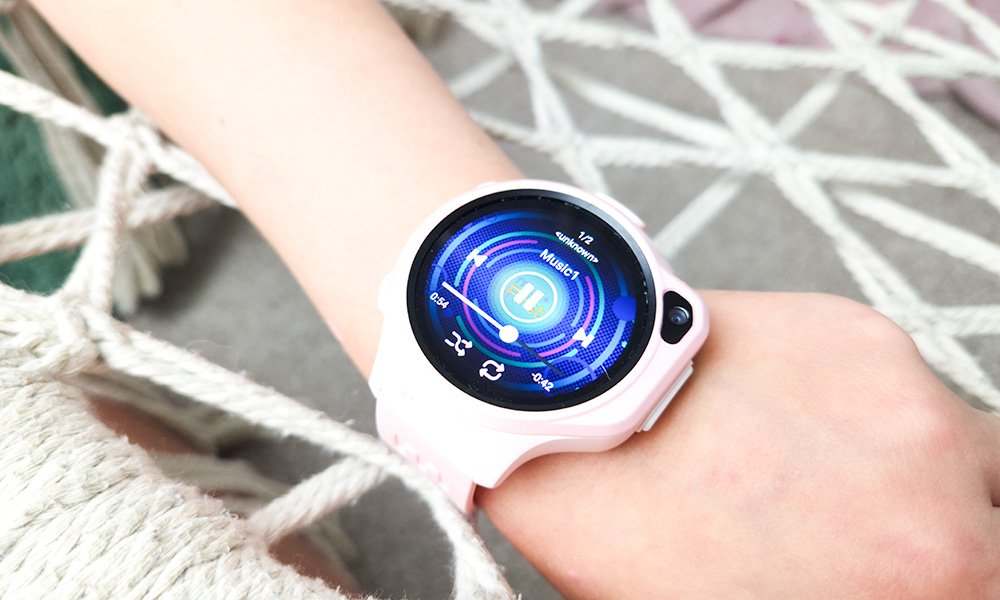
Music can be a powerful motivator for movement, and the myFirst Fone R2 harnesses this with its built-in music player. Kids can dance to their favourite tunes, making physical activity feel like playtime rather than exercise. Whether it’s a spontaneous dance-off in the living room or a pre-game warm-up, the music player adds a fun element that keeps kids moving and grooving all day long.
By integrating these 8 key features, the myFirst Fone R2 Kids’ Smartwatch not only keeps parents connected with their children but also promotes an active and healthy lifestyle for the kids. From seamless communication and real-time tracking to fun activity incentives and health monitoring, this smartwatch is a comprehensive tool designed to meet the needs of both parents and children. It’s no wonder the myFirst Fone R2 is becoming a go-to gadget for families gearing up for the back-to-school season!
Beyond the Basics: More Fab Features of the myFirst Fone R2
While staying connected and staying active are the primary focus, there are some additional features that parents (and kids) will find pretty cool.
- SOS Button: Safety in an Instant – The SOS button is perhaps the most reassuring feature for parents. If your child feels unsafe or needs immediate help, they can press and hold the button to send an emergency alert to you. Whether they’re lost, scared, or in trouble, this one-click solution is designed to offer immediate support. It’s the kind of feature that lets parents breathe a little easier knowing that help is just a button press away.
- eSIM Technology: Seamless Global Connectivity – Unlike traditional devices, the myFirst Fone R2 uses eSIM technology, meaning you don’t need a physical SIM card. It makes switching network provider a breeze and allows for global connectivity, perfect for families who travel. No more fiddling with SIM cards—just seamless calls, video chats, and messaging on the go.
- Geo-Fencing: Setting Boundaries with Ease – If you’re nervous about your child wandering off, the Geo-Fencing feature lets you set virtual boundaries on the app. Whether it’s the school playground or the neighbourhood, you’ll receive an alert if your child crosses those boundaries. It’s like setting up invisible safety nets to keep your peace of mind intact.
- Parent-Approved Contacts: Controlled Communication – Parents will appreciate the control offered by the Parent-Approved Contacts feature. Your child can only communicate with contacts that you have pre-approved, ensuring that they’re not chatting with strangers or anyone who hasn’t been vetted by you first.
- Class Mode: Distraction-Free Learning – Classroom distractions are a thing of the past with the Class Mode feature. During school hours, the watch can be set to disable all functions except for the emergency SOS button, ensuring your child can focus on learning without interruptions from texts or calls.
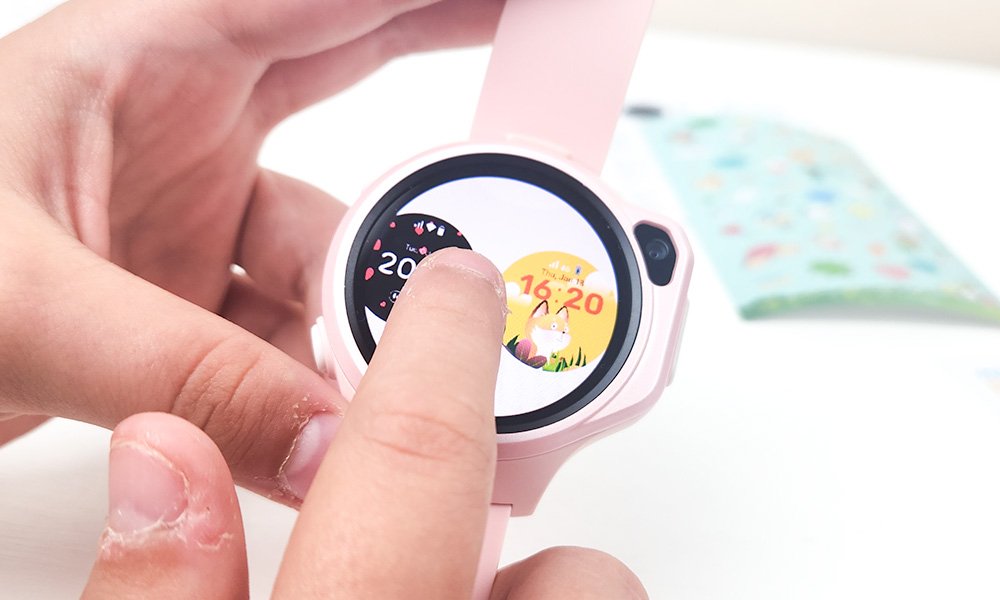
- Customisable Wallpapers: Express Their Style – Personalisation is key for kids, and the myFirst Fone R2 lets them pick and choose their own wallpapers and clock faces. With options for both digital and analogue designs, plus the ability to set a photo from their album, it’s a fun and creative way for kids to make the smartwatch their own.
- No Unsafe Apps: Keeping it Kid-Friendly – With no access to third-party apps, games, or social media, you can rest easy knowing your child’s watch is safe from online dangers. The myFirst Fone R2 is a completely secure environment designed for safety and fun, without the risk of harmful apps or unwanted distractions.
Subscription Options: Worth It?
Here’s the lowdown on the myFirst Fone R2’s subscription plan: While you don’t need it for basic use, subscribing unlocks advanced features like GPS tracking and unlimited calls when out of Wi-Fi range. You can subscribe for £8.99 per month, or £6.99 when billed annually. The first 30 days are free, and you can cancel anytime—no long-term commitments. For what you get, we’d say it’s worth considering.
Our Honest Thoughts on the myFirst Fone R2 Kids Smartwatch

After the initial setup struggles, we have to say we’re impressed. From a parent’s point of view, the myFirst Fone R2 offers incredible peace of mind. Knowing where your child is, having quick communication at your fingertips, and the added safety features make it a fantastic device for young kids, who you don’t want exposed to the dangers and stresses of a full blown mobile phone.
From our child’s perspective? It’s a blast. They love messaging their friends, taking photos, and tracking their steps (even if we suspect a bit of step-counting cheating!). The customisation options for wallpapers and straps also make them feel like it’s truly their watch.

Yes, the setup can be a bit tricky, but once you’re past that, the myFirst Fone R2 delivers in every aspect. Plus, when you factor in the safety features and the durable, child-friendly design, we think it’s a great investment.
Ready to Give Your Child the Ultimate Back-to-School Companion?
And there you have it—8 ways the myFirst Fone R2 Kids’ Smartwatch ensures parents stay connected and kids stay active, plus some nifty extras that make it an all-around superstar of a device. Whether it’s the GPS tracker or the step counter, this watch is designed to keep both kids and parents happy while providing an extra layer of safety and fun!
If you want to pick up the myFirst Fone R2 Kids’ Smartwatch and give your little one a high-tech way to stay connected and active, head over to the myFirst Fone website to grab yours!
While you’re here, don’t forget to check out our Back-to-School Learning Resources to give your child the best start to the school year. You can also find more reviews of cool products in our Child Product Reviews Section.